Why your BbY WOW video looks wrong — and how to fix it
Most bad BbY WOW results come from the photo, not the AI: a face turned away, strong shadow, sunglasses, a cropped head or several people in frame. Fix the photo and regenerate, and the clip usually lands. If a render fails or has a clear technical fault, credits return automatically or you get one free re-run.
From $6.99 per video — one-time. No subscription.
No watermark
Clean MP4, yours to post.
Photos deleted in 24h
Your upload is not kept.
Refund if it fails
Failed generations are refunded.
Ready in ~3 minutes
No queue, no app.
Check the photo first
The reference move is fixed, so the photo decides almost everything. Run through this list before you regenerate.
Works
- Face angled within about 30° of the camera
- Even light on the face, no strong backlight
- Head-to-waist or full body visible
- One clear subject in frame
Gets rejected
- Side profile or heavy shadow across the face
- Sunglasses, masks or hands over the mouth
- Head or chin cropped by the frame
- Small, far-away subject in a crowd shot
Want to try the moves yourself while you sort the photo? The practice guide shows how to slow the clip down and mirror it.
What works and what gets rejected
Real accepted and rejected photos, side by side.
Works
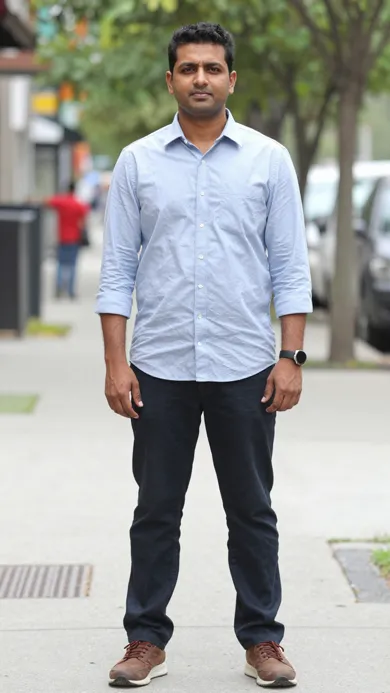
Full body, facing the camera

3/4 shot, even indoor light
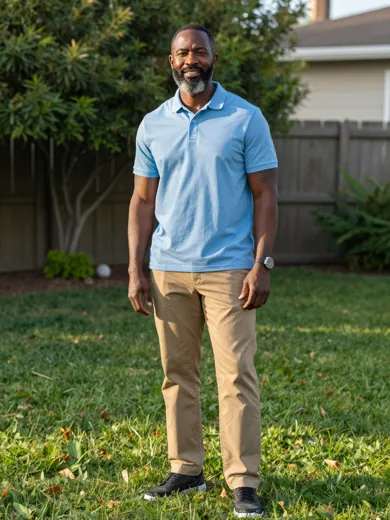
Face and torso clear
Gets rejected

More than one person
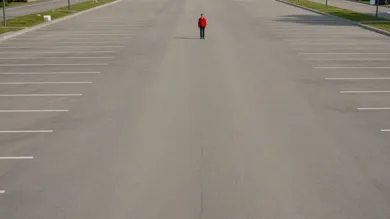
Too far away
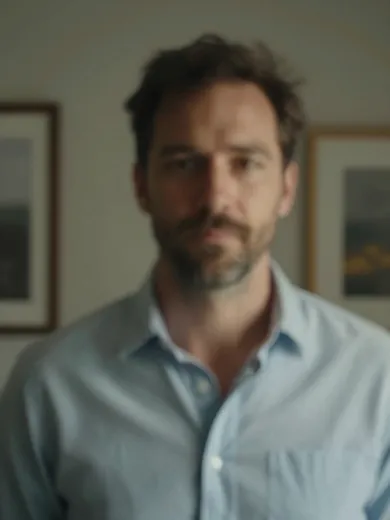
Body cut off
Half-body, side-on and group photos
Three framing mistakes cause most rejections and odd faces.
- Show the upper bodyHead and shoulders at least
- Face the cameraWithin about 30°
- One subject onlyCrop groups to one person
The checker needs to see the head, shoulders and upper body, so a tight face crop or a legs-only shot is turned down — use a 3/4 or full-body photo. A side profile hides half the face, so the result drifts; turn toward the camera.
Only one subject is allowed per photo. Group shots are rejected because the generator cannot tell who to animate; crop to one person. Either you or your pet — not both in one photo.
Pets: when the result looks off
The Pet style wants one animal, clearly visible, looking roughly at the camera.
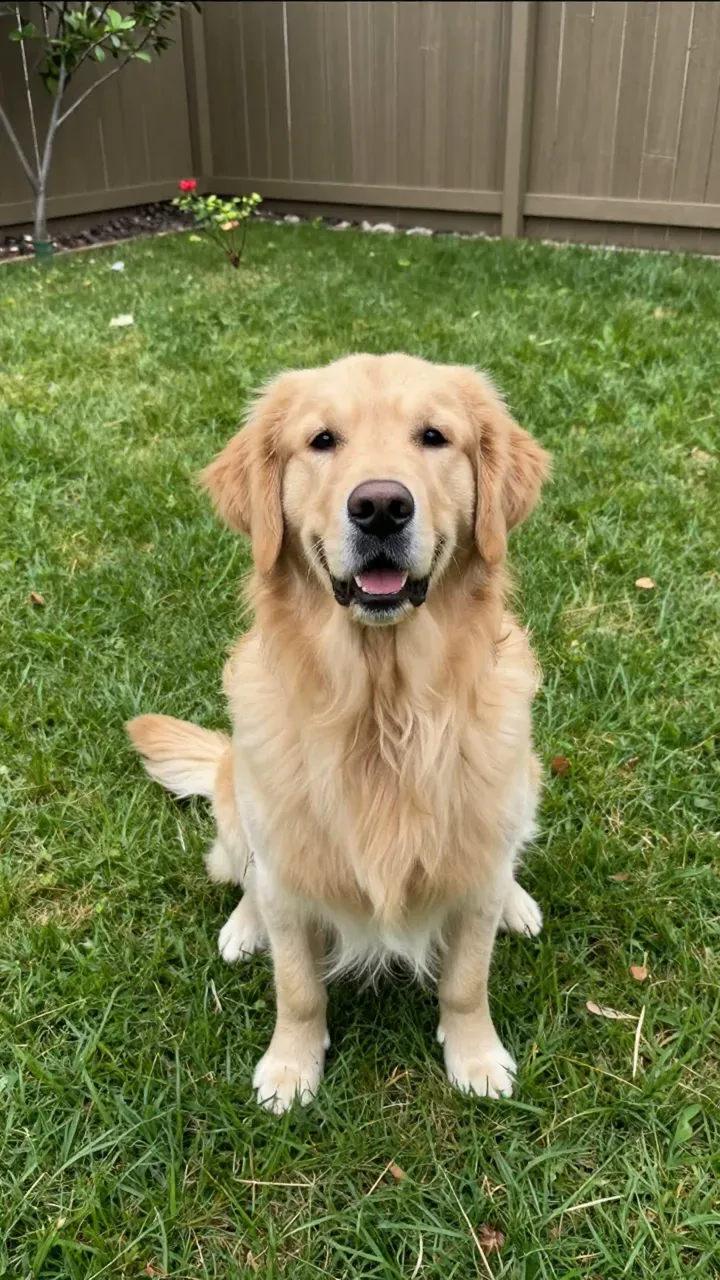
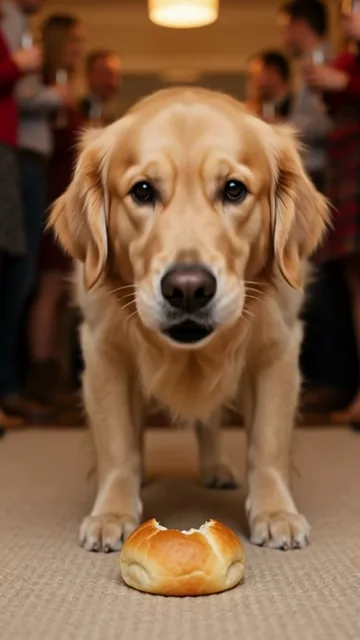
Use a sharp photo with the whole head and chest in frame and the animal on a plain, even-lit background. Dark fur in dim light loses its outline, so move toward a window. If a person is also in the shot, crop them out — a photo is either a person or a pet.
If your photo was rejected
The photo check runs before you pay and says why.
| Message | What it means | Fix |
|---|---|---|
| Only one person | More than one person was found | Crop to one person or pick another shot |
| One subject per photo | A person and a pet are both in frame | Use a photo with only you, or only your pet |
| Head, shoulders and upper body | The body is not visible enough | Try a 3/4 or full-body photo |
| No person or pet found | No clear subject was detected | Use a sharper photo with the subject centred |
| Possibly under 18 / public figure / nudity | Blocked by our safety rules | Use a photo of yourself or an adult who agreed |
Think it is a mistake? Email hello@bbywowgenerator.com with the photo and we will look at it.
Failed renders and refunds
A failed render costs you nothing. A clear technical fault gets a free re-run.
- Failed renderCredits back automatically
- Clear technical faultOne free re-run, then credits back
- Unused packRefund within 7 days
If a video fails, times out or is blocked by the safety filter, the credits go back automatically. If a finished clip has a clear technical fault — a badly distorted face, the person missing or a file that will not play — email hello@bbywowgenerator.com within 7 days of delivery for one free re-run, then credits back if it still fails. Unused packs can be refunded within 7 days of purchase. A result you simply do not like is not refundable. Full terms are on the Refund page.
Buy credits, make videos
One-time credit packs. No subscription, credits never expire, and failed videos are returned automatically.
One video
10 credits · 720p · 9 seconds · no watermark
Squad
$29.00
50 credits · ≈ 5 videos
$5.80 per video
Save 17%- 720p MP4 · no watermark
- Credits never expire
- Failed videos: credits returned
Crew
$99.00
350 credits · ≈ 35 videos
$2.83 per video
Save 60%- 720p MP4 · no watermark
- Credits never expire
- Failed videos: credits returned
Party
$199.00
900 credits · ≈ 90 videos
$2.21 per video
Save 68%- 720p MP4 · no watermark
- Credits never expire
- Failed videos: credits returned
Studio
$499.00
3000 credits · ≈ 300 videos
$1.66 per video
Save 76%- 720p MP4 · no watermark
- Credits never expire
- Failed videos: credits returned
Why does the face look wrong in my BbY WOW video?
Almost always the photo: the face is angled, in shadow, behind glasses or cropped. Regenerate with a sharper, evenly lit photo where the face points at the camera.
Can I use a group photo?
No. Use a photo with one clearly visible person — group photos are rejected because the generator cannot tell who to animate. Crop to the person you want.
Why was my photo rejected?
The check runs before you pay and tells you the reason: more than one subject, upper body not visible, no person or pet found, or a safety rule such as a possible minor or public figure.
My pet video looks strange. What should I change?
Use one animal, with the whole head and chest visible, facing roughly toward the camera, in even light. Crop out any people in the photo.
What happens to my credits if the video fails?
They return to your balance automatically when a render fails, times out or is blocked. You can retry with a different photo.
Can I get a refund if I do not like the result?
Results you simply do not like are not refundable. Clear technical faults get one free re-run, then credits back; unused packs can be refunded within 7 days of purchase.
Your turn to walk out of the crowd.
Your photos stay yours. Photos are used only for generation and deleted within 24 hours. Finished videos stay downloadable for 30 days. Only upload photos of yourself or people who said yes.